博客
主页 » 博客 » Seven Steps to Selecting a Rack PDU for Your Data Center
Seven Steps to Selecting a Rack PDU for Your Data Center
Posted on September 16, 2015 by Gento
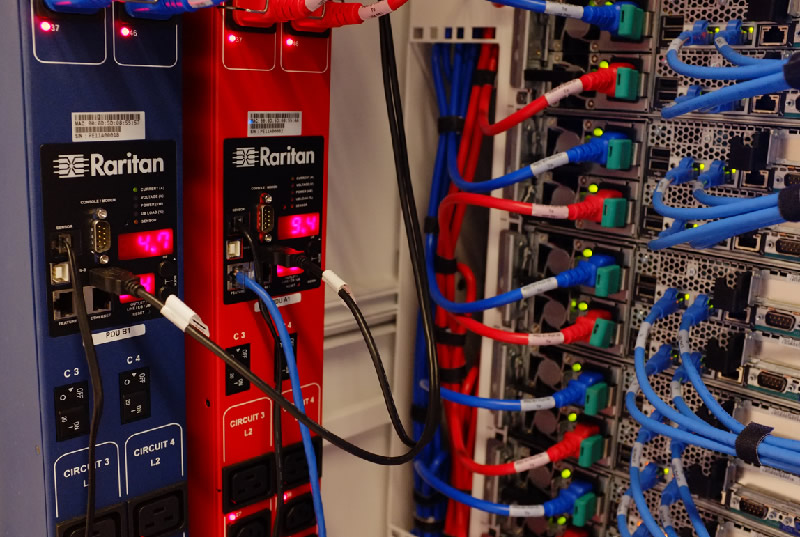
As you can imagine, a wide variety of rack power distribution unit (PDU) configurations are available based on parameters such as: number of phases, voltage, total amps, branch circuits, number of outlets, socket type, plug type, rack units consumed, and physical dimensions. Beyond the functions of the basic rack PDU, additional capabilities are available in rack PDU categories we call metered, switched, and intelligent PDUs.
Furthermore, if you cannot find an off-the-shelf rack PDU that matches your specific requirement, some vendors will assemble or even design a custom rack PDU (also called BTO/ETO: built-to-order/engineered-to-order). Here, we'll discuss seven basic steps you should follow to help you to select and deploy the appropriate rack PDUs for your data center.
New data centers and existing data centers where power needs to be deployed to the rack should follow steps 1-7 in order. Existing data centers where power is already deployed to the rack should follow the same steps in the following order: 4, 2, 1, 3, 5, 6, 7
1. Confirm the Infrastructure Voltage
- For North America the input voltage is likely to be 120V single phase, 208V single phase, 208V three phase, or 400V three phase.
2. Establish the Rack Kilowatt Budget
- Estimate the total power (kW, kVA) required.
- Determine the nameplate power rating of each device and calculate a budgeted power requirement, e.g. the sum of the nameplate values x 70%.
- Should additional power headroom be considered to accommodate future growth or accommodate different devices?
3. Determine the Circuits, Phase, and Amperage for the Rack
- Determine the PDU input voltage including the number of phases and amperage. This will determine the rack PDU plug type.
- For a data center where the power is already deployed to the rack, one of the best and easiest ways to determine the required PDU input is to know the receptacle into which the PDU will be plugged.
4. Find Out What Devices will be in the Rack
- This will determine the PDU outlet type(s) and the number of outlets required.
- What types of plugs are used on the devices in the rack, e.g. C-14 and C-20
5. Decide if Switching is Desired and What Level of Metering is Required
- Is remote power control required in order to reboot hung servers or keep outlets off to prevent unauthorized access, ensure proper provisioning, and avoid tripped breakers?
- Is PDU inlet-level metering sufficient, or is the additional detail of outlet-level metering desired?
6. Learn the Rack PDU Installation Options
- Determine the form factor that best fits the racks: typical horizontal PDU form factors are 1U (1.75 in., 44 mm) and 2U (3.5 in., 88 mm) high, there are also Zero U vertical PDUs of varying lengths.
- Find the power inlet location, i.e. where the power feed should enter the PDU. Consider how the input feed cable routes through the rack and cable bend radius. Typical cable feed options for rack PDUs are bottom/front, bottom/end, and top/end.
- Decide on the proper length of the PDU input power cord.
- Consider how the device plugs will be prevented from accidentally unplugging. There are retention clips, specially designed locking outlets or special power cords.
7. Figure Out if Advanced Features are Needed
- Will environmental monitoring be used?
- Will the PDU be connected to the LAN via hardwire Ethernet connections, Wi- Fi, or Gigabit Ethernet? Do PDUs need to be cascaded/daisy chained together to minimize Ethernet drops?
- Are colors desired to indicate different power feeds, e.g. A and B feeds, or different power chains?
Lastly, should you need help with any of these steps, leave your question below in the comment field or reach out to our team of Raritan power experts. And do visit our PDU product selector to see all of the models that are readily available for you to purchase.
Other Blog Posts
- 了解人工智能时代的Neocloud基础设施
- Posted on June 1, 2026
- 不被定义:看专业的传感技术如何改变数据中心冷却方式
- Posted on June 1, 2026
- 通用输入:通过通用输入为数据中心提供无缝即插即用的灵活性
- Posted on March 1, 2026
- 智能PDU:人工智能数据中心电源管理的关键组件
- Posted on December 17, 2025
- 远程医疗影像扫描(远程超声/远程影像诊断/远程会诊系统)如何优化医院运营流程并提升患者满意度
- Posted on November 24, 2025
力登官方微信公众号

近期活动
- Japan Cloud & Datacenter Convention 2025
- 06 Jun 2025 • Tokyo, Japan
- Interop Tokyo 2025
- 11 Jun - 13 Jun 2025 • Chiba, Japan
- Suntelephone ICT Business Solution 2025 (Sendai)
- 17 Jun 2025 • Sendai, Japan
- Suntelephone ICT Business Solution 2025 (Kanazawa)
- 25 Jun 2025 • Kanazawa, Japan
- Suntelephone ICT Business Solution 2025 (Takamatsu)
- 04 Jul 2025 • Takamatsu, Japan
力登最新新闻
- 罗格朗推出新一代KVM平台,旨在数分钟内让关键系统恢复在线
- Posted on October 22, 2026
- 罗格朗获得的行业认证和严格控制的生产流程,增强了数据中心运营中连网设备的稳定性。
- Posted on July 1, 2024
- 重振数据中心行业——罗格朗重磅推出两款新的智能机架式PDU产品!
- Posted on May 1, 2023
- 独家专访丨惠州如何升级制造业?法资企业CEO提了个建议
- Posted on December 2, 2021
- 力登公司推出MasterConsole®数字双显示器KVM切换器
- Posted on February 18, 2021