| United States |
Home > Products > Power Management > iPDU PX-1000
Email
E-MAIL

PRINT

Metered iPDU – PX-1000

The Raritan PX-1000 family of high-quality rack power distribution units (PDUs) offers real-time remote unit-level power monitoring of current (amps), voltage, power (kVA, kW), power factor and energy consumption (kWh) with ISO/IEC +/- 1% billing-grade accuracy. The PX-1000 also supports Raritan’s plug-and-play environmental sensors. Users can define thresholds and receive alerts when thresholds are crossed for both power and environmental events.

Overview

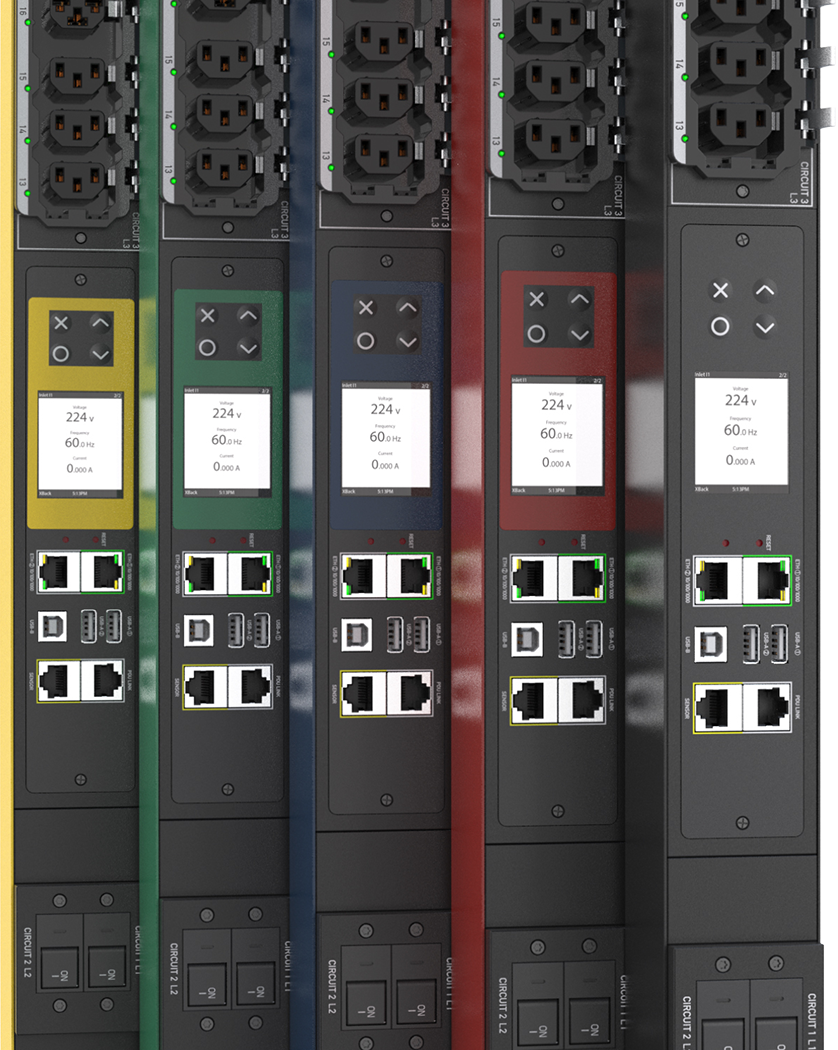
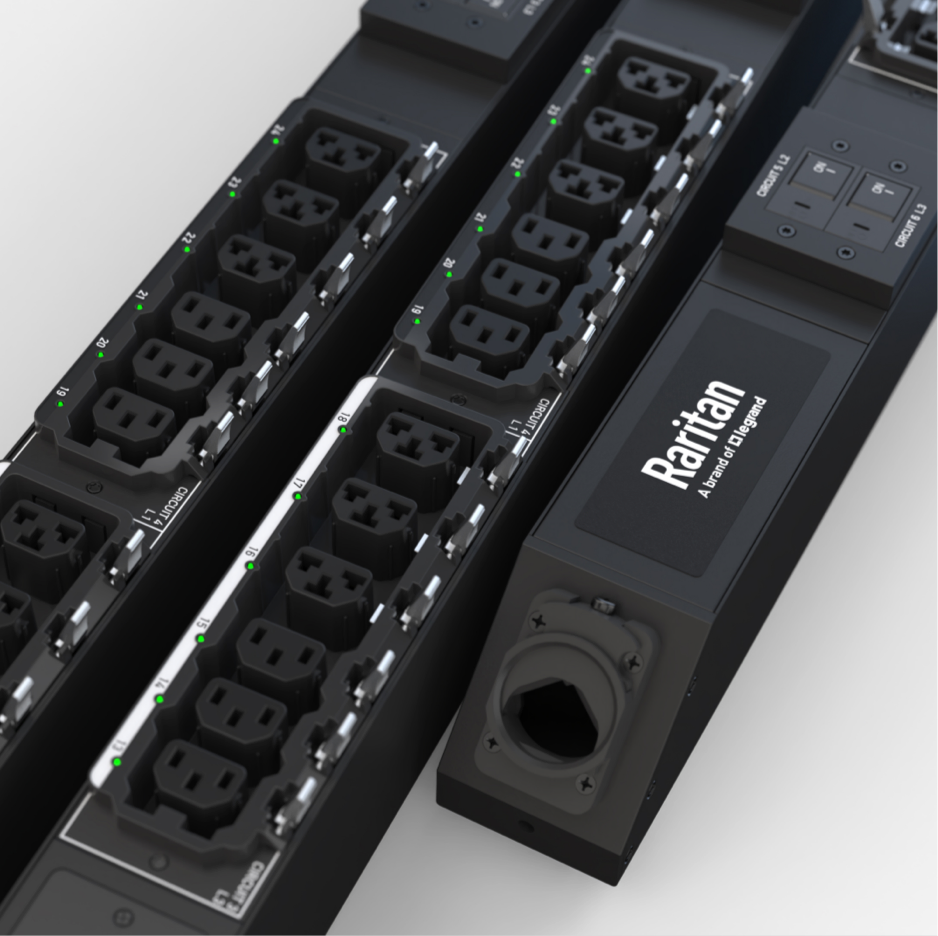
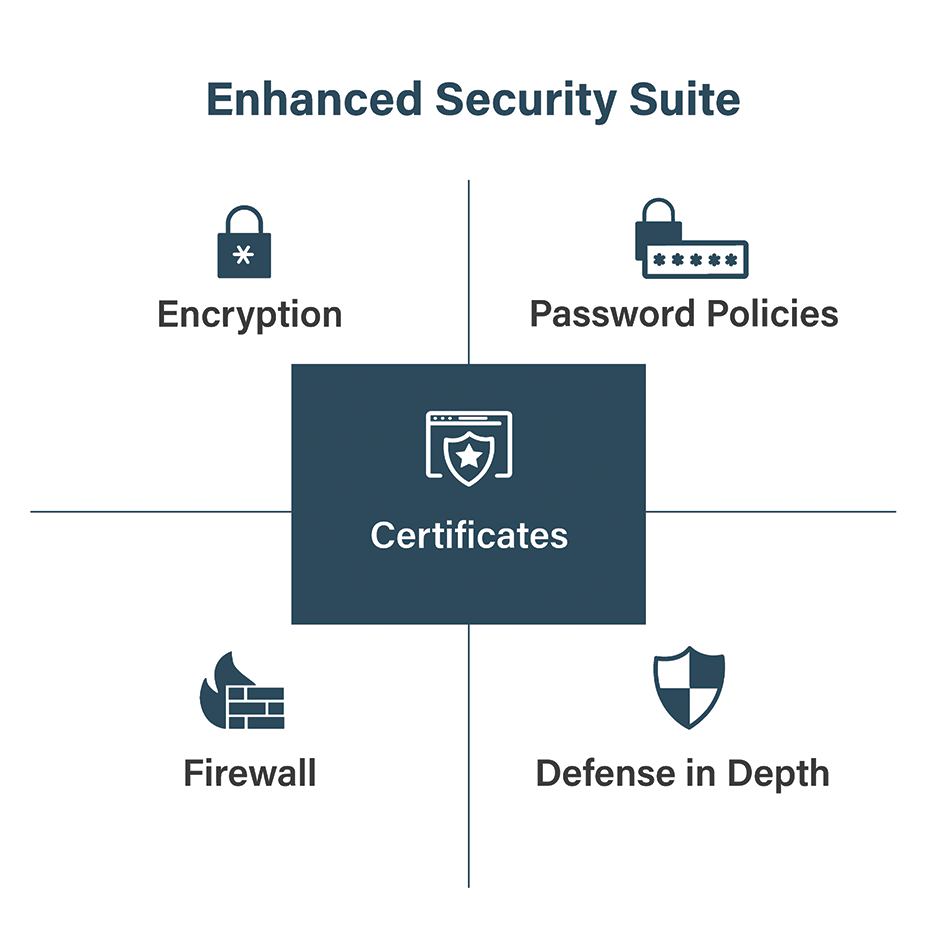
The PX-1000 series is available in Zero U and 1U form factors with a wide variety of NEMA, IEC and other plugs and receptacles, including models which support high power distribution such as 400V. Precise power information can be monitored, and the PX-1000 configured, via a user-friendly Web browser GUI or command line interface. Power information is also displayed at the PDU locally. Security is ensured with up to 256-bit encryption, strong passwords and advanced authorization options, including permissions, LDAP/S and Active Directory. Plus the PX-1000 series is fully compatible with Raritan's Power IQ energy management software solutions.

To find the PDU that best fits your needs, click here for our interactive PX Product Selector. Then to view more detailed specifications, choose your selected model from the table below. 

VAC Outlets Rack Units Amps Per Phase
≤16 20 30 32 50 60+
120 8 1 PX2-1145R

PX2-1146R,
PX2-1147R

       
120 24 Zero   PX2-1474,
PX2-1475,
PX2-1802
       
208 8 1 PX2-1148R PX2-1176R,
PX2-1180R
PX2-1200R       
208 24 Zero  

PX2-1480,
PX2-1482

PX2-1497
PX2-1497V-E2
     
208 36 Zero     PX2-1841      
230 8 1 PX2-1190R          
230 24 Zero PX2-1486     PX2-1493    

240

8 1

PX2-1190A1R,
PX2-1190A2R,
PX2-1190A3R,
PX2-1486A4

         
240 24 Zero PX2-1486A4

PX2-1486A1,
PX2-1486A2,
PX2-1486A3


PX2-1493A1,
PX2-1493A2

   
3PH 208 24 Zero   PX2-1508       PX2-1551
3PH 208 30 Zero            
3PH
208
36 Zero    

PX2-1724,
PX2-1725,
PX2-1721

     
3PH 208 45 Zero     PX2-1955      
3PH 400 24 Zero     PX2-1629      
3PH 400 36 Zero     PX2-1731

PX2-1730,
PX2-1730A1,
PX2-1730A2


Benefits

Features Benefits
Power Metering and Monitoring
Remote power monitoring, metering and rich data collection including current (amps), voltage, power (kVA, kW) and energy consumption (kWh) Make informed capacity planning decisions and efficiently utilize power resources such as finding stranded power in racks. Measure IT equipment power consumption to save power and money, calculate Green Grid’s PUE Level 2 and Level 3, and drive green data center initiatives.
LED and alarms for unbalanced loads based on user-adjustable thresholds Increase efficiency, utilization and capacity. Load balance lines and circuits to avoid overloading neutral lines. Improve uptime and staff productivity. 
Capable of ISO/IEC +/- 1% billing-grade accuracy real-time power monitoring and metering, down to individual outlets for some models Report and/or bill back power consumption (kWh). Trend and track energy utilization or bill power costs to users.
User-adjustable power data sampling and buffering End users can choose the frequency at which they monitor power and the amount of data they gather.
Power Management, Security and Remote Access
Alerts via SNMP, e-mail and syslog from individual outlets, units, lines and circuit breakers when user-adjustable thresholds are exceeded Receive advanced warning of potential problems with critical and non-critical thresholds and alerts.
Standards based polling, configuration and alerting with encryption via SNMP v1, v2, v3 support, SETs, GETs and TRAPs Increase uptime with alerts. Collect data for trending and capacity management.
Ethernet, serial, USB-A, USB-B and sensor connections Supports modem control functions for serial console access. Connectivity options for third-party peripherals enabling new applications, e.g., wireless, USB drives, etc.
Directory services support providing advanced authorization options, including permissions, LDAP/S, RADIUS and Active Directory®. 256-bit AES encryption and strong passwords Configure user access rights and security settings.
Remote access via Web and CLI. Supports HTTP, HTTPS, SSH and Telnet Check status of PDUs, lines, circuit breakers and individual outlets. For switched models, remotely provision (turn on), reboot and switch individual outlets and groups of outlets with user-configurable, outlet-level delays for power sequencing.
Compatible with Raritan’s Power IQ® Centralize power control and analytics and measure CO2 footprints.
Environmental Monitoring
Environment-monitoring-ready intelligent rack PDUs with optional plug-and-play environmental sensors Monitor temperature and humidity to identify hot spots, confidently raise the ambient temperature of your data center to reduce cooling power consumption and manage static problems. Increase efficiency with ASHRAE guidelines.
Alerts based on user-defined environmental thresholds Save costs by leveraging PX to monitor the data center environment and receive alerts when thresholds are reached.
LED indication if sensor is plugged in and detected Provides confidence that environmental sensors are functioning and properly monitoring the data center environment.
Hardware
Hundreds of models Meets all your data center applications, including models with outlet switching and individual outlet metering.
High-power, including 400V power distribution and high temp 60C models For high-heat environments such as blade servers, high-density applications and storage area networks (SANs). Supports hot aisle containment and high-power blade racks.
High-quality construction and components such as solder connections to copper bus bars in PCBs, ISO 9000 quality manufacturing and quality components from Tyco, Hubbell® and Mennekes® Superior reliability compared to other rack PDUs available. 
Lightweight and strong extruded aluminum chassis with excellent heat dissipation and versatile button and bracket mounts Mounting flexibility. 
Designed with 3D CAD/CAM software Up to 36% less deep than competitive products for easier rack mounting and minimal equipment and airflow blocking.
UL489 circuit breakers Meets Underwriters Laboratories’ latest branch circuit protection standards. Unlike fuses, an electrician or an inventory of spare fuses are not required. Eliminates the possibility of installing a fuse with the wrong rating.
Smart reversible LED display that changes orientation Easily check power readings, such as line draw and balance for three-phase rack PDUs at the rack before adding devices. Increases installation flexibility.
Raritan’s 25 years of data center management and embedded development experience led to the embedded high-performance processor Rich and full implementation network management, directory services and security with best-in-class user experience. Scalability and headroom for future upgrades.

FAQ

General Questions

What is PX?

The PX is an intelligent rack Power Distribution Unit (iPDU) that allows users to monitor power and environmental conditions such as temperature and humidity.

It can be used as a stand-alone power distribution unit, or integrated with Raritan’s Power IQ® energy management software, KVM switches and CommandCenter® Secure Gateway (CC-SG).

Is Raritan new to the rack power distribution unit market?

No. On the contrary, Raritan has been in the rack power distribution business since 2003.

Can the PX be used as a stand-alone device?

Yes. It can be used either as a stand-alone power management unit or it can be integrated with Raritan’s access and management products, including Power IQ and CommandCenter Secure Gateway.

Does PX work with Raritan’s CommandCenter Secure Gateway?

Yes. PX is deployable as part of an enterprise-wide management solution with Raritan’s CommandCenter Secure Gateway. Hundreds of PX units can be managed via CommandCenter Secure Gateway directly or through Dominion SX (serial only), KX and Paragon® II.

How can I consolidate the sites where I have a PX installed? What if I have other PDU brands as well?

The Raritan Power IQ software manages rack PDUs, providing a single Web interface for outlet, rack and data center power, current, voltage, temperature and humidity monitoring and remote outlet switching. Power IQ manages the PX and third-party rack PDUs, and can also be integrated with data warehouse and enterprise reporting systems.

Raritan’s CommandCenter Secure Gateway is designed specifically to provide centralized management. It is the ideal solution if you are looking to consolidate management of devices such as PX with other Raritan network-based products.

For IP-based consolidation, SNMP or external Command Line Interface (CLI), scripting may be considered.

How does the PX differ from Raritan Remote Power Control (RPC) and PM units?

PX offers additional features such as outlet-level power monitoring, access via both Ethernet (TCP IP) and serial for remote access, an intuitive browser-based GUI, support for optional temperature and humidity sensors and other flexible access methods.

Can the firmware on the PX be upgraded?

Yes. The architecture of the PX enables easy firmware upgrades via updates from Raritan.com so you can have the latest functionality without having to buy new hardware.

Are updates to PX software free?

Yes. Currently all firmware upgrades are free.

Are there any software requirements for PCs connected to PX?

For access using a Web browser, the PX does not require any software to be loaded on the client; however, the browser does have to be JavaTM-enabled. When using SSH/TELNET, the customer has to provide an SSH/TELNET client. In some operating systems, like Linux®, an SSH client is included in the distribution. Also, OpenSSH.org has an SSH client that can be downloaded free of charge. PuTTY is one of the most popular SSH clients for Windows® and can also be downloaded free from the Internet.

Will there be other models in the PX family?

Yes. There are currently hundreds of PX models. Additional models of the PX family are introduced on a regular basis.

Can I get custom configurations of the PX?

Yes. Note that lead times will vary depending on the level of customization required.

Hardware

In what form factors can I get the PX?

The PX comes in two form factors:

  • Horizontal rack mount – 1U, 2U models
  • Vertical mount – Zero U models


In what rack positions can Zero U PX models be mounted?

All five mounting positions are supported with APC racks.

Does PX include the 19" rack mount kit or is there an extra charge for this option?

The PX horizontal (rack mount) units come standard with a complete ready-to-install 19" rack mount kit.

Does the PX have circuit-level fuses?

PX uses UL 489 circuit breakers for branch circuit protection in North America and most of the world. Some PX models, however, have been made available with outlet fuses at customers’ requests, typically outside North America.

Why aren’t there circuit breakers on PX models that are 20 amps and below?

A 20 amp or less rack PDU (1- or 3-phase) is always connected to a branch circuit that is protected by a 20 amp circuit breaker in a panelboard (aka building PDU, RPP). This breaker trips when the total of all the outlets in a rack PDU exceeds 20 amps.

North American 208V 3-phase PDUs have the outlets divided into 3 banks. Each bank is wired across two phase legs (L1-L2, L2-L3, L3-L1). NEC requires that if a PDU input is rated greater than 20 amps, then a 2-pole 20 amp circuit breaker must be used to protect each bank of outlets. When each bank draws 20 amps, the total amps on each input line is 35 amps.
In general, we design PDUs using the following rules:

  • If a PDU is rated 20 amps or less (or 16 amps internationally), then no circuit breakers are used (per UL 60950-1).
  • If a PDU is rated greater than 20 amps (or greater than 16 amps internationally), then outlets are divided into banks and each bank is over-current protected by a 20 amp (or 16 amp) circuit breaker.


Some PDUs lose all the power if one or more circuit breakers are tripped. Is this true for PX?

No. In PX PDUs, the control circuitry is in front of all circuit breakers, so tripping any one or more breakers has no affect on power delivered to the controller. In PX 3-phase PDUs, power for the controller is derived from all 3 phases, so even loss of any 2 of 3 phases will not affect power delivered to the controller.

What happens to the servers powered by the PX if the electronics of the PX malfunction? Will the servers lose power?

No. The PX is designed to continue to run with NO change to the power outlets in the case of an electronics malfunction. The outlets that are on will remain on and the outlets that are off will remain off.

By factory default are the outlets on a PX enabled (i.e., on) or disabled (i.e., off)?

By factory default all the outlets are enabled – that is to say, they are turned “on.” For models without switching, e.g., PX-4000 and PX-1000 series, all outlets are always on.

For switched models, why is the LED by each outlet on a PX GREEN when the outlet is OFF/Disabled and RED when it is ON/Enabled?

In the world of power, RED indicates that the power is running (outlet is “live” or “hot”) to that outlet. GREEN indicates it is NOT running or that the outlet is not enabled. For PX models without switching, all outlets are always enabled.

Can I use the Ethernet and the serial ports on the PX at the same time?

Yes. Just ensure that both interfaces are enabled and configured.

Can I set the Ethernet port on the PX to run at 100Mbps full-duplex?

Yes.

Is the Ethernet port on the PX unit 10/100Mbps auto-sensing?

Yes. But it can also be set to run at 100Mbps.

What is the purpose of the RJ-12 connector on the front panel of the PX units?

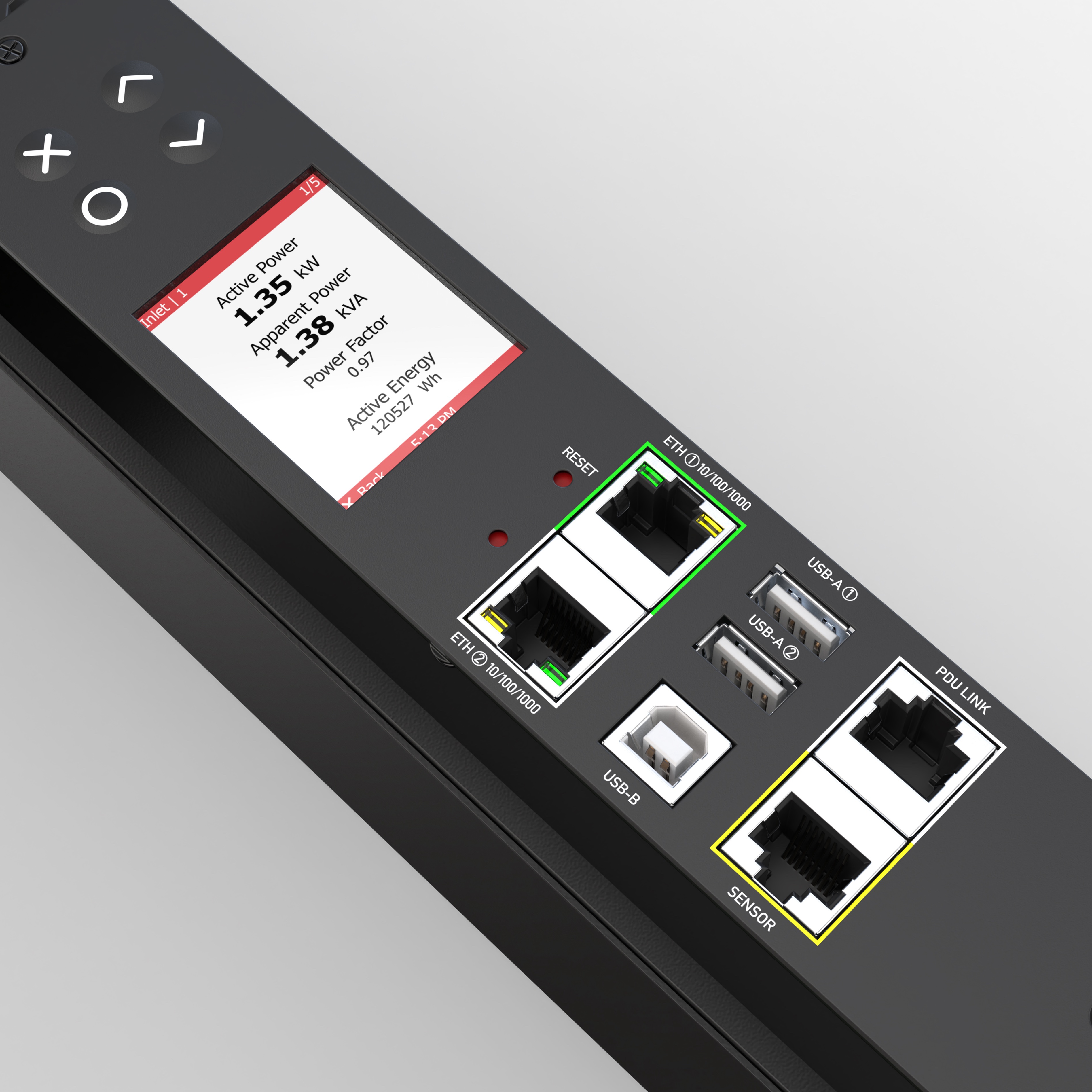
This connector (labeled “feature” on some models and “sensor” on others) is for adding Raritan’s optional but fully integrated environmental monitoring sensors.

Are environmental sensors available with the PX?

Yes. Optional but fully integrated environmental sensors are available.

What are the clicks from the PX, circuit breakers tripping?

Clicks from a PX that supports switching are typically relays opening and closing which is normal. When a circuit breaker (CB) trips, the LED will blink yellow because internal relay boards will not be receiving voltage from the tripped CBs. Also, the CB handle will be physically in the “off” position. Using the LED panel on the PDU to view outlet voltages (press up/down keys together to toggle from current readings to voltage readings), the voltages will be zero or near zero if the CBs have tripped.

I moved my PX to a new rack and now I can't access it. What happened?

PX ships from the factory with Dynamic Host Configuration Protocol (DHCP) enabled. DHCP is a protocol used by networked devices (clients) to obtain various parameters necessary for the clients to operate in an Internet Protocol (IP) network. DHCP automates the assignment of IP addresses, subnet masks, default gateway and other IP parameters. If a PX is moved to a new location, with DHCP still enabled (the factory default setting), DHCP will again automatically assign the PX an IP address, subnet mask, etc. If the IT administrator tries to access the PX using the IP address assigned at the previous location, the PX will not respond because the PX now has a different IP address. When moving a PX, IT administrators should 1) leave DHCP enabled and then access the serial port of the PX to find the new IP address (see Quick Start Guide), 2) disable DHCP prior to moving the PX so it retains the same IP address or 3) if possible, configure DHCP to assign a specific IP address to the PX.

Features

Does the PX support outlet- level monitoring?

Yes, for outlet metered, outlet switched and outlet metered only models. Outlet monitoring is supported when using the GUI (HTML interface) and SNMP (via the Ethernet port) and via the Command Line Interface (CLI) – Ethernet or serial.

Where is power measured on PX 3-phase models?

For all PX models, reporting occurs at three levels: 1) phase level,
2) PDU level and 3) circuit breaker level. For PX-5000 and PX-4000 models, power is also reported at the outlet level.

Can I cluster multiple PXs in a rack or data center using TCP IP?

Yes, Raritan’s Power IQ supports outlet grouping associations across PDUs.

Can I use SSH to connect to the PX?

Yes, SSH connections are supported.

Does the PX support TELNET?

Yes, PX supports TELNET, but it is disabled by factory default.

Why is TELNET disabled by default on the PX?

PX supports enabling of the TELNET daemon. However, because TELNET sends all information “in the clear,” enabling TELNET is at the customer’s own discretion. Raritan strongly suggests the use of SSH as a safer alternative to TELNET, since all data is encrypted, including the login sequence.

Does the PX support Network Time Protocol (NTP) servers?

Yes. Up to two external NTP servers can be supported by the PX.

Does the PX support DNS servers?

Yes. Up to two DNS servers can be supported by the PX.

Does the PX support Dynamic DNS?

Yes.

Does the PX support a full-featured Command Line Interface (CLI) for advanced applications using external scripting?

Yes. The SMASH CLP­based CLI allows management and configuration of very granular features, like per-outlet IP access control list (ACL). On all models with a model number which looks like PX2-nnnn (where nnnn are numbers), the CLI is JSON-RPC.

Does PX support SNMP TRAPs, SETs and GETs?

Yes. PX supports SNMP TRAPs, SETs and GETs via an Enterprise MIB. Dominion PX supports SNMP v1, v2 and v3.

Does PX support syslog?

Yes. PX supports syslog – to primary and secondary servers.

Does the PX support SMTP (e­mail) alerts and notification?

Yes.

Can an SMTP server that requires a username and password for connection be used for the e­mail notifications from the PX?

Yes. The PX supports SMTP server authentication.

Which ports need to be open on the corporate firewall for a secure console session using PX?

Port 443 (for https); optionally, port 80 (http) for user sessions. When using SSH, port 22 needs to be open. For TELNET, port 23 needs to be open.

Can I get the buffered offline data from the serial port of the PX?

Yes, but only if you use the Dominion SX or other console server that supports this capability.

If I am using the Ethernet interface as the primary means of power monitoring and control, does PX support local (direct) port access for “crash-cart” applications in a data center using a terminal (VT100/equivalent)?

Yes, the PX supports local port access. Default parameters are 9600-N-8-1. The local port on the PX is an RJ-45 female. An RJ-45 male to DB9F (female) null-modem cable is provided with each PX for setup and crash-cart applications.

Models that have part number PX2-nnnn (where nnnn are numbers), the default speed for the port is 115.2Kbps (N-8-1), and the serial port on the units is a DB9M (male).

How can I restore the PX to factory default setting?

A hardware reset button (recessed pinhole) is provided to allow access to a software (CLI command) mode to restore the unit to factory default. It can also be restored to factory default from the HTML GUI using a Web browser. For safety and security reasons it is not possible to restore the unit to factory default otherwise.

Security

What level of encryption does the PX support?

The PX hardware supports up to 256-bit AES encryption DPC and DPX models, and all models with a model number PX-nnnn (e.g. PX-5000, PX-4000, PX-3000). Models with model number PX2-nnnn support AES via software.

How do I get access to the operating system of the PX?

PX is a secure appliance. Therefore, NO access is possible to the operating system.

I have lost my Admin password to the PX. Is there a backdoor or secret password?

For security reasons, PX does not have any “backdoor” usernames or passwords. Restoring the unit to factory default will reset it to the factory default username and password.

Does the PX support strong passwords like other Raritan products?

Yes. Full support is provided for strong password options, for example, lockout on retries, password length and character control and a host of other options.

Can I use PX over a VPN connection?

Yes, PX fits into most network configurations utilizing TCP/IP. Set up the VPN (typically IPSec) connection, then start the Web browser and enter the URL for the PX unit, or use SSH or Telnet. The session to the PX runs transparently over the VPN tunnel.

Does the PX have a built-in firewall?

Yes.

Does the PX support IP Access Control Lists (ACL)?

Yes.

Using the CLI, can per outlet IP access control list (ACL) be enabled?

Yes.

What authentication mechanisms does the PX support?

DPC and DPX models, and all models with a model number PX-nnnn (e.g.,       PX-5000, PX-4000, PX-3000) support local database, RADIUS, LDAP/S and Active Directory®.

Models with model number PX2-nnnn support AES via software, local database, LDAP/S and Active Directory.

Can the PX support authorization at a per­port level?

Yes. PX can support authorization at a per­port level – via the local database, RADIUS, LDAP/S and Active Directory.

When using SSL, does the PX support SSL server certificates?

Yes.

Can the PX be used to generate an SSL Client Certificate Request (CSR) for a Certificate Authority (CA)?

Yes.

Interoperability

With which release of the Dominion SX can I do full power control from the HTML GUI?

Dominion SX release 3.1 and above fully supports the PX.

With which release of the CommandCenter Secure Gateway is the PX first supported?

For control via the serial port of the PX, CommandCenter Secure Gateway release 3.1.1 or higher is required.

Can I use the SX PowerBoard applet (supported by SX firmware releases through 2.5 only) to control a PX with a Dominion SX running 3.0 firmware?

No. The old PowerBoard applet is not compatible with Dominion SX  3.0 and newer releases. Upgrade the Dominion SX unit to release 3.1 or higher for support of the PX when the Dominion SX is used in a stand-alone mode to manage the PX. When using the CommandCenter Secure Gateway with a Dominion SX, CC-SG can be used to provide the On/Off/Recycle commands to the PX via the Dominion SX.

What is the maximum number of PX units controllable through a Dominion SX?

This is limited only by the maximum number of serial ports on a Dominion SX. For example, a 16-port Dominion SX unit can be used to control 16 PX units, and a 32-port Dominion SX unit can be used to manage 32 PX units. See the PX User Guide for more details on interoperability and maximum units supported by other Dominion series products.

Does the Dominion KX support the PX?

Yes. See the PX User Guide for more details on interoperability and maximum units supported by other Dominion series products.

Regulatory Compliance

Is the PX RoHS compliant?

Yes. The PX is RoHS compliant.

Screenshots

Opening Web GUI Page

Opening Web GUI Page

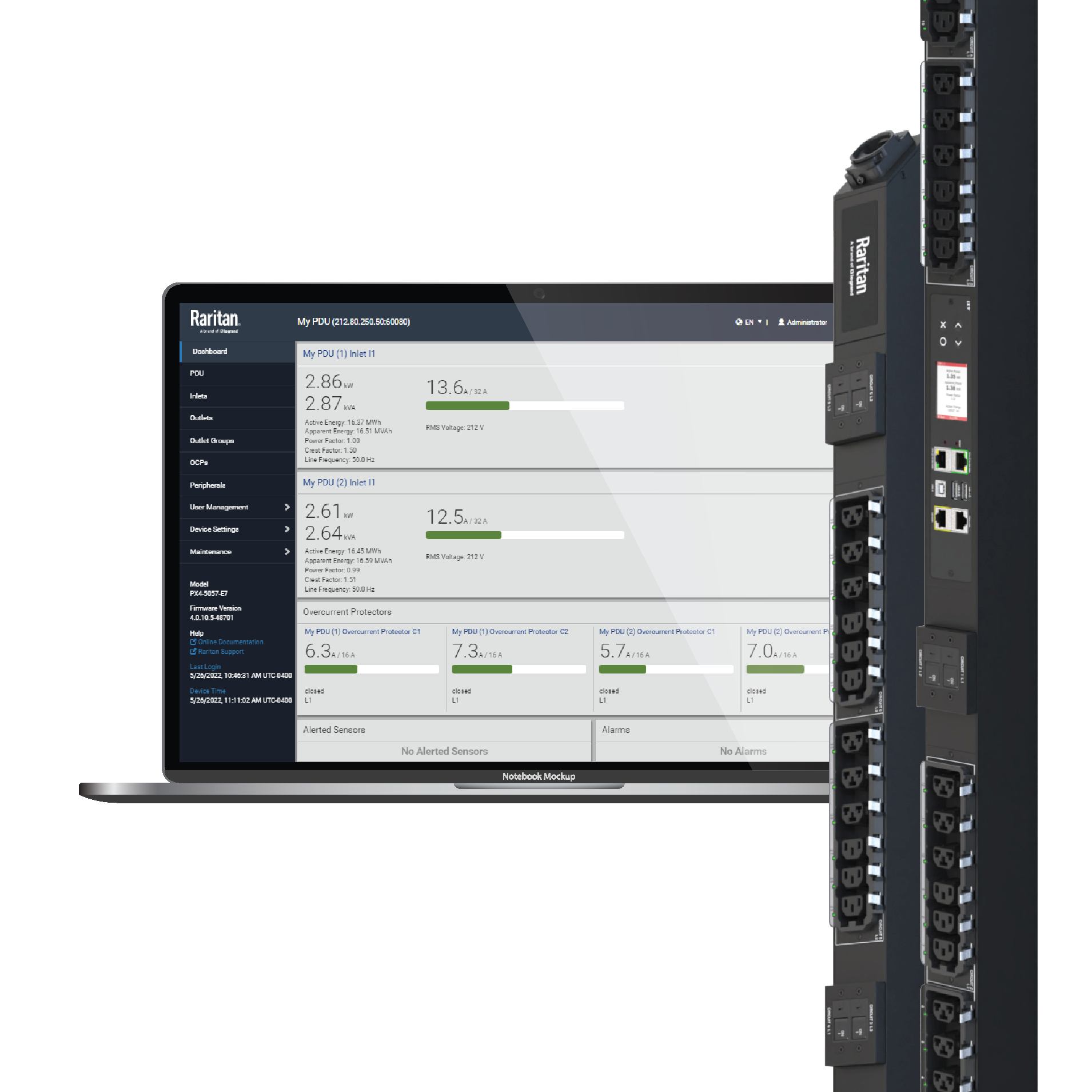
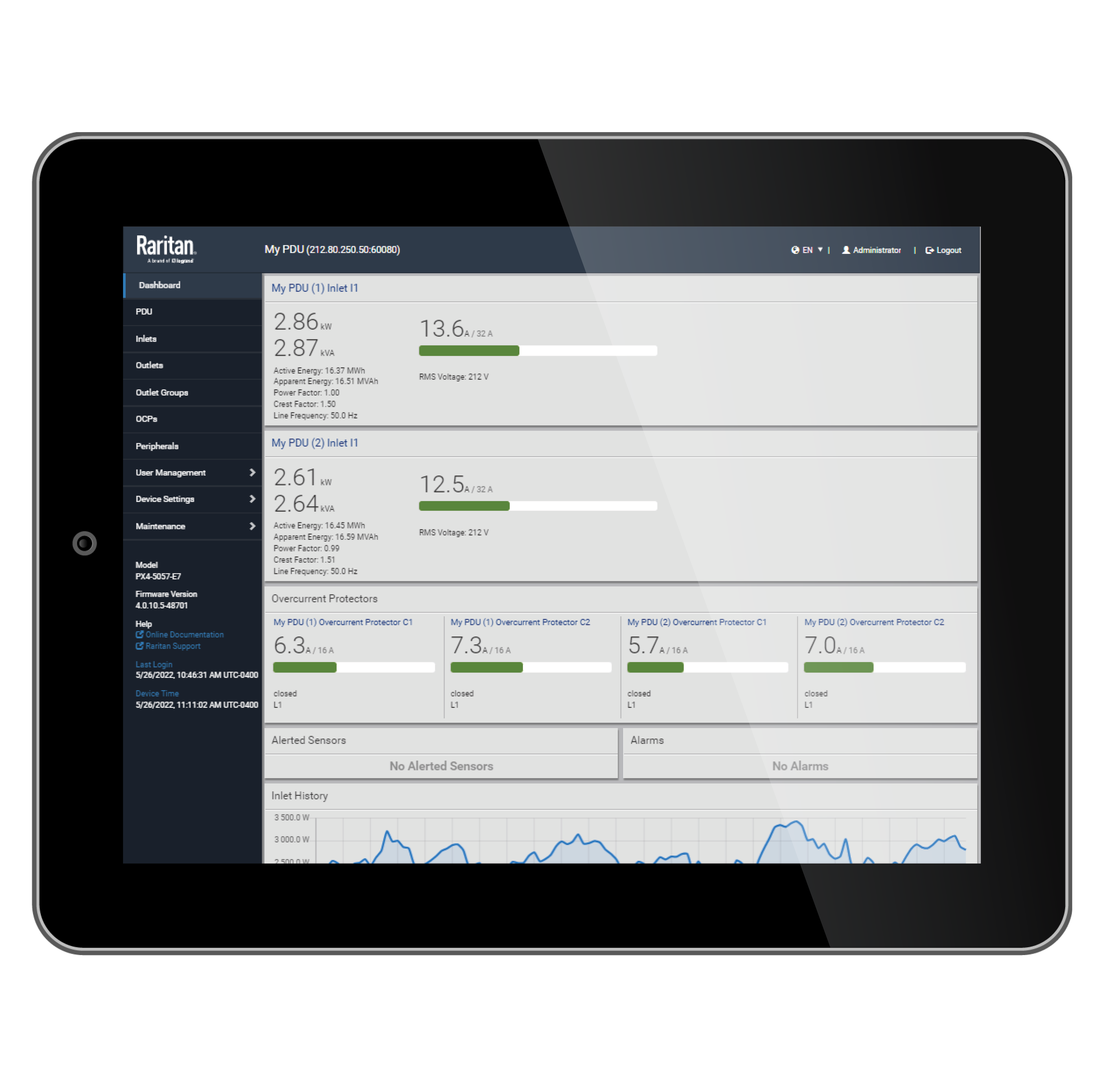
This page displays a high-level dashboard of the PDU including inlet line current, line voltage, and power; overcurrent protectors and external sensors.

External Sensors Web GUI Page

External Sensors Web GUI Page

This page displays the external sensors by serial number, type of sensor, name, reading and state.

Outlets Overview Web GUI Page

Outlets Overview Web GUI Page

This page displays outlet names, the line or lines supplying power and the overcurrent protector protecting the outlet.

Outlets Web GUI Page

Outlets Web GUI Page

This page displays each outlet’s receptacle type, operating voltage and rated current.

Inlet Overview Web GUI Page

Inlet Overview Web GUI Page

This page displays the electrical power inlet(s) by current, voltage and power including active energy (Wh), active power (W), apparent power (VA) and power factor.

Inlet Set Up Web GUI Page

Inlet Set Up Web GUI Page

This page displays, and allows changes to, inlet threshold settings.

Overcurrent Protector Setup Web GUI Page

Overcurrent Protector Setup Web GUI Page

If an overcurrent protector is available, this page displays the threshold settings for that overcurrent protector.

Overcurrent Web GUI Page

Overcurrent Web GUI Page

If overcurrent protectors are available, this page displays each circuit breaker’s type, rated current and the outlets protected.

Security Menu Web GUI Page

Security Menu Web GUI Page

This page displays security options such as IP access control, forcing HTTPS, SSL certificates and authentication.

Maintenance Menu Web GUI Page

Maintenance Menu Web GUI Page

This page displays maintenance related functions such as logs, firmware updates, bulk configuration and unit reset.

Network Services Menu Web GUI Page

Network Services Menu Web GUI Page

This page displays network service options including HTTP, SNMP, SSH and Telnet.

Device Overview Web GUI Page

Device Overview Web GUI Page

This page displays general PDU information, such as model name, serial number, hardware revision, etc.

Resources

PXPX Instant Test Drive

Experience all the benefits of our iPDUs at no cost and with no obligation. Complete this short form and we'll send you access codes that give you instant and unaided IP access to a working PX right from your desktop.

You can access this program as often as you like, so please keep the information we send you for future reference. Try it now and see how easy it is to monitor and control the power in your data center.

Test Drive PX iPDU


Data Sheets:

PX Data Sheet (high-res)
PX Data Sheet (lo-res)

Plug Charts:

NEMA Plug Chart - Straight

NEMA Plug Chart - Locking

Plug Chart - IEC 60309 - "Pin and Sleeve"

Case Studies:

Raycom Media Delivers Market-Tailored Broadcast Programming Using Raritan’s Remote Access and Power Management Solutions

Molex: World’s Largest Electronics Connector Supplier Improves Data Center Performance by Adding Remote Management Control

AOL Deploys Raritan's Intelligent Power Management Solution to Reduce Data Center Energy Consumption and Find Unused Capacity
eBay: Real-Time Energy Optimization and Best Practices In a Mission-Critical Data Center
See More

White Papers:

High Power Whitepaper Download
EO 13514 and Smart Federal Government Data Center Management
Monitoring Efficiently
Power Distribution in Data Centers: STARLINE Track Busway, PX iPDUs and Power IQ
See More

Top Power Management Customers:
Raritan's dcTrack software is deployed at some of the world's leading organizations representing a broad cross section of industries and geographies including:

ADP

Aol.

ATT

Autodesk

cisco

Comcast

eBay FedEx McAfee Microsoft

Nasdaq

Wachovia

See more. 

Ordering Info

Skip Navigation Links.
Expand <div runat='server' id ='divSectionNode' class ='SectionNode' visible ='true'>iPDU - PDU Metered</div>
iPDU - PDU Metered
Expand <div runat='server' id ='divSectionNode' class ='SectionNode' visible ='true'>Accessories</div>
Accessories
Expand <div runat='server' id ='divSectionNode' class ='SectionNode' visible ='true'>Warranties</div>
Warranties
Expand <div runat='server' id ='divSectionNode' class ='SectionNode' visible ='true'>Professional Services</div>
Professional Services

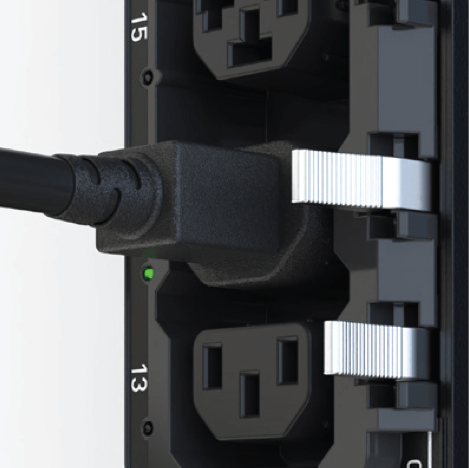
Prevent your power cords from unplugging with our SecureLock locking system

Trust only genuine Securelock-equipped rack iPDUs and AC power cords: look for the SecureLock logo