|
Solution
|
Features
|
Description
|
Benefits
|
|
Asset Management
|
|
Auto Discovery
|
Allows for automatic recognition and integration into dcTrack asset management system for a newly added asset.
|
Automatic recognition of make and model of asset makes adding or changing assets a much simpler and less time- consuming process.
|
|
Import of Existing Data
|
dcTrack uses multiple methods for importing of existing data: 1. SNMP discovery 2. Importing of floor objects from drawings 3. Import wizard using spreadsheets
|
Quick and easy way to get your system up and running. Easy to migrate from other solutions such as Excel® or other databases.
|
|
Items Details
|
All items maintained in dcTrack are organized in one report. Information provided includes: item type, function, administrator, port location as well as any custom fields unique to a particular device.
|
Detailed information in either text or image provides for more accurate asset management and the ability to quickly find various devices when needed.
|
|
Virtual Servers
|
VM hosts are tracked as any server item, with the exception that there is a “cluster” checkbox and cluster name/number field. Each VM will be created as any server, and will have the VM checkbox selected and “cluster” field filled with the same cluster as its host(s).
|
Adds flexibility in selecting IT item and adds efficiency.
|
|
Managing Network Blade Server
|
Servers can be standalone or chassis. If chassis is selected – the ability to add blades to that chassis is available on the same form. Each blade will have its own comm ports and connections.
|
Adds flexibility in selecting IT item and adds efficiency.
|
|
Models Library
|
Extensive models library includes datacenter equipment templates from a number of manufacturers. The library is updated approximately once per month. However, users can add to/edit the library or request updates at techsupport@raritan.com
|
Prepopulated equipment- related data adds efficiency. Routine updates keeps models library up-to-date for new makes and models of the IT equipment. The pictures of actual equipment adds clarity.
|
|
Intelligent Rack Asset Strip*
|
Once the asset tag is connected to the physical IT item in the cabinet, the unique asset ID is registered with the respective installed IT item in the dcTrack data base. Any changes to the asset tag due to add or remove of a physical IT item will trigger an event in the dcTrack event log. Events are also triggered if the asset tag loses connectivity with asset management strip controller.
|
Integration between the data in the dcTrack database and the physical existence of IT items in the data center allows for a more accurate view of what’s in the data center. Information is kept current and up to date, and any moves, adds or changes are indicated via immediate alerts. This can save considerable time and money that is spent on capacity management, audits and frequent visits to the data center help defer or eliminate the need for an expansion.
|
|
Capacity Management
|
|
Dashboard
|
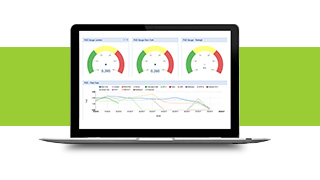
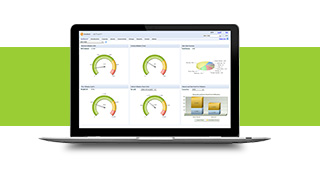
Colorful 3D gauges, graphs and pie charts provide real-time visualization of all items managed by dcTrack as well as capacity, including: electrical, cooling, floor, cabinet, cable and network.
|
Provides the ability to quickly see how much capacity is used and how much is available for better capacity planning.
|
|
Intelligent Search, Place and Reserve
|
Provides the ability to locate a cabinet in the data center that is the best fit for the item that should be added. Allows for any other search by make and model or any other particular search criteria. Once space is detected, reservations can be made.
|
Allows for quick identification of available space, power and network connectivity, which simplifies change management. Provides the ability to plan for future provisioning of IT equipment.
|
|
Power Management
|
dcTrack can collect real-time information from any SNMP-enabled device. Integration with Raritan's PIQ SW adds additional information if needed.
|
Track real-time power consumption for power efficiency.
|
|
Network Management
|
dcTrack allows for tracking/tracing cable routes from server NIC through the structured cabling to the endpoint switch, tracking which ports of each hop is utilized.
|
Adds efficiency in network utilization and management.
|
|
Connectivity Management
|
|
Power Path*
|
Monitors the power path from the main UPS and all points in between.
|
End-to-end view of available power allows for better visibility, more efficiency, streamlined costs and maximized ROI.
|
|
Network Connections
|
Tracks the physical network layer of Ethernet and Fiber Channel switches.
|
Reduces the mean-time-to-repair(MTTR) by accelerating theinvestigation process for network failures, resulting in cost savings.
|
|
Change Management
|
|
Workflow
|
Provides the ability to create work orders, approvals and verification to ensure work is done accurately and on time.
|
Allows for better control over work-order process. Prevents unauthorized changes from being made and keeps data center up to date.
|
|
Web Services API
|
Allows for integration with third-party ticketing systems. Ticketing application connects with dcTrack to retrieve and update ticket information.
|
Provides a smooth connection with current ticketing system, helping to avoid the need for a time-consuming, separate entry.
|
|
Reports
|
|
Detailed and High Level Reports
|
Cabinet Detail, Item Detail, and Power are examples of detailed reports. The dashboard displays high-level graphs of utilization for power/rack/cooling/ports.
|
Frequently used reports add efficiency in quick reviews.
|
|
Custom Reports
|
Custom reports can also be created with third party tools, such as crystal reports using ODBC access to the dcTrack database.
|
Easy integration allows the user to generate custom reports and analytics.
|
|
Visualization
|
|
Visualization
|
Ability to visualize floor space, front/rear rack/row as well as the complete power and network connectivity chain. In addition, there is the ability to visualize AutoCAD® and Visio® floor plan drawings in real time. (MAIN ITEMS - FRONT/REAR)
|
Clear dashboards provide a quick and easy way to determine available assets and capacity. An end-to-end view of the data center simplifies troubleshooting and assists with “what if" scenarios.
|
|
Drawing, Creation and Import
|
External drawings can be linked to dcTrack via share. This allows the drawings to be edited outside of dcTrack. Floor objects can be linked or imported with the click of a button.
|
Easy import of drawings helps in timely changes to the floor.
|
|
Integration with Raritan Software Products
|
|
Power IQ® Integration*
|
Seamless integration with Power IQ, Raritan’s software power management solution. Adds, moves or changes made using dcTrack asynchronously update Power IQ. Data containing information on all power and environmental resources are polled every two to three minutes.
|
Provides a clear picture of available power, energy and environmental trends among all assets. Helps provide accurate information on power usage which can be used to save on energy costs and maintain compliance.
|